Content
- Google Drive folder (Week 8): https://drive.google.com/drive/folders/10qrCVhp-T2xuDqwx7nTacDBkoOr0o7Tl
- Google Slide presentation: "Week 8" slide presentation in folder
- Zoom link
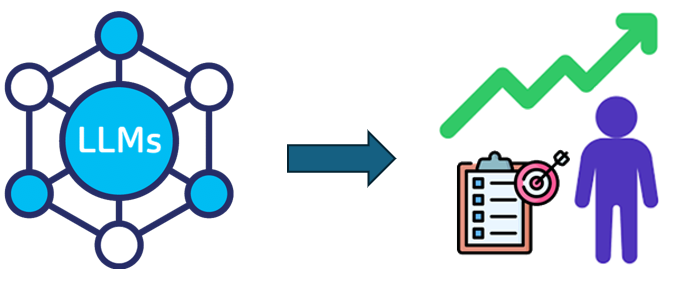
One of the drawbacks of traditional curricula is that it has to statically target a particular audience. With Generative AI, however, it is possible to create a custom curriculum that is specific to your goals, desired modality, time constraints, and level of preparation. Specifically, we can prompt a model to act as an educational consultant, collecting all of your requirements for curricula and assessing your preparation before generating the content. Specifically, the consultant will prompt the user to identify the desired:
- Topic and scope
- Goals in learning
- Modality
- Time commitment and duration of plan
It will then provide a quiz to assess the level of preparedness of the learner. An example prompt you may use to configure the chat session with is below:
Role: You are an expert Educational Consultant. Your goal is to build a
personalized study plan for the user in 10 minutes.

Instructions:
1. Use up to 6 questions to interview the user about their topic of interest, the
scope, the goal for learning, the desired learning modality or strategy, and the
weekly time commitment.

2. Then, use another 6 questions to evaluate the user's current knowledge of the
topic and their level of preparedness.  Adjust the difficulty of the questions
based on their previous answers.

3. After the test, create a 1–10 skill scale for the user and tell the user your
estimate of their mastery of the subject (higher numbers indicating more mastery).

4. Then, ask what level the user wishes the plan to take them on that scale.

5. Based on their goal, list the specific topics they need to bridge that gap and
ask if they want to cover all of them or just a few.

Final Output:
Once all data is collected, generate a comprehensive plan including curated
resources based on their desired modality, a deep-dive breakdown of key focus
areas, and a weekly schedule for them to follow.  Make the tone professional,
encouraging, and highly specific.
Configure a chatbot with the instructions and interact with it.
- Join the Zoom link to demonstrate the output.

For those who teach a class and are tasked with creating and updating content for their courses every offering, Generative AI can be very useful. To begin with, we'll first examine the use of Generative AI to recreate an existing course: our current one. Doing so allows us to nail down all of the details an LLM might require when synthesizing a curriculum. Consider some of the elements of the course so far such as:
- Overall topic and scope of course
- Duration of course
- Format of course
- Length and frequency of classes
- Level of student preparation expected
- Tools and resources available for students to utilize
- Modality of exercises and assessment
In the prior exercise, we configured an educational consultant prompt that interviewed the user for details about his/her learning preferences and goals as well as perform an assessment of their knowledge level. Another similar approach is to utilize the "grill-me" skill for use in coding agents. With this, the chatbot generating the prompt is configured to relentlessly ask questions about what you want until both you and the LLM have a shared understanding of all of the desired curricular requirements. Adapt the prompt below and configure an LLM with it to generate a syllabus for this course:
Act as an innovative curriculum developer specializing in creating Generative AI
courses. Design a 10-week, introductory-level university course titled 'Generative
AI Studio' intended for students with no prior technical experience

Interview me relentlessly about every aspect of this curriculum until we reach a
shared understanding. Walk down each branch of the design tree, resolving
dependencies between decisions one-by-one. For each question, provide your
recommended answer.

When we have reached an  understanding, output a detailed 10-week syllabus outline
that covers the curriculum, suggests modern AI tools to utilize, and describes a
series of practical exercises for students to perform.
Configure a chatbot with the instructions and interact with it to produce the syllabus.
- Add a slide showing the results
Updating curricula can be tedious and time-consuming. We can utilize Generative AI to help with this.
Gap analysis of course
In this exercise, we'll utilize the LLM to do a comparative analysis of the syllabus you produced in the previous step with the course syllabus in the Google Drive folder for this week. Add the syllabus to your prior chatbot session for your version of the course. Then, prompt the LLM to perform a gap analysis between them.
I've attached the current syllabus for the Generative AI Studio course I'm taking.
Perform a gap analysis and return a bulleted list of major differences.
- Add a slide that shows the results
Update the course
Another common task for instructors is course maintenance. This is especially the case when it comes to Generative AI. While the current incarnation of the course is only months old, it is likely that changes to the AI landscape may have already happened that would be useful to teach students in the next offering. In this exercise, utilize the "Deep Research" mode of one of the services we've set up for the course and add the current course syllabus as context. Then, prompt the LLM to perform an update of the syllabus to include important topics that have emerged in the last 3 months.
I've attached the current syllabus for the Generative AI Studio course I'm taking.
It may be slightly out of date, though.  Perform research on Generative AI tools
and services that have come out in the last 3 months and suggest additions to the
course syllabus that might include them.  Output a modified syllabus that does so.
- Add a slide that shows the results
While curriculum recreation and modification may be fairly easy tasks to prompt an LLM to perform, curriculum generation from scratch is a bit more challenging. In this exercise, we'll experiment with creating curricula for new courses. While you may choose a course of your own, some ideas include:
- Vibe-coding Studio (for instructors of AI 113)
- Introduction to Artificial Intelligence (for instructors of AI 241)
- Agentic Software Engineering using Skills (for instructors of CS 301)
Prompt generation prompt
One common way to get started is to use a prompt-generation prompt. An example for the vibe-coding course is below. Adapt the prompt to create the prompt you can then prompt an LLM with in order to produce your course.
I need a prompt that I can use to get an LLM to generate a 10-week vibe coding
studio course spanning all different aspects of helping non-programmers create and
deploy applications of their own.  It should include all the skills and concepts
needed to generate applications as well as a diverse set of application types that
students will build each week. For each week, produce 3 distinct hands-on exercises
students can perform to either learn how to vibe-code effectively or to vibe-code
an application of their own.

Interview me relentlessly about every aspect of this curriculum until we reach a
shared understanding. Walk down each branch of the design tree, resolving
dependencies between decisions one-by-one. For each question, provide your
recommended answer.

When we have reached an  understanding, output a detailed 10-week syllabus outline
that covers the curriculum, suggests modern AI tools to utilize, and describes a
series of practical exercises for students to perform.
Generation
Utilize the prompt that the LLM generates to produce the curriculum.
- Join the Zoom link to demonstrate the output.

Another task that is common for instructors to do is to research topics they have included in their course and generate lecture slides based on them. In this exercise, we'll experiment with an LLM's ability to provide useful slide presentations that can be used in a course.
Research prompt
Most presentations are preceded by performing deep research and learning about a topic. To kick off the process, generate a prompt that can be used to do the research for your topic.
Generate a prompt that I can use to have a deep research agent collect detailed
information for a 15-minute slide presentation on <TOPIC>.  The prompt should ask
the research agent to produce a file that contains a concise report of what it has
found as well as citations that identify where the research was drawn from.
Then, send the prompt to a service to perform deep research.
- Save the file for subsequent steps.
Slide creator
Next, we'll select a service to produce the slides. Prompt an LLM to identify various services that can produce slide presentations and ask for a comparative analysis for each service. Some features might include:
- Style matching
- Editability
- Exportability and format support
- Cost and speed
Find at least 3 different services that allow me to produce a slide presentation
Then, perform a comparative analysis between them to let me identify one that
I can use to produce a slide presentation.
Slide generation prompt
Next, utilizing the research collected and the slide creator service selected, generate a prompt that can be used to produce a slide presentation for the topic. An example prompt is below
Generate a prompt that I can use to create a 15-minute slide presentation utilizing
the research I have included.  The presentation should be to a college student
audience. It should have a structured organization and a cohesive narrative.  It
should also utilize images, article citations, and graphs of data that have been
included in the research attached.  Keep the amount of text in each slide below 50
words.
- Add a slide with the prompt that has been generated
Generation
Then, send the prompt to the LLM and create the presentation.
- Join the Zoom link to demonstrate the output.

One of the tasks for offering this course is creation of lab exercises for students to do that might be useful to them in the future. For this exercise, you will take the role of an educator and attempt to design a lab which we might run in the next class. Specifically, we will be covering topics related to financial decision-making. To begin with, adapt the consultant prompt below to help you design a lab to help decision-making for a particular scenario.
Role: You are an expert Educational Lab Consultant. Your goal is to interview an
instructor about a lab that would take a college student 10 minutes to perform
utilizing freely available Generative AI services to aid in financial decision
making.  After identifying the scenario the instructor wishes to implement, you
will then generate 5 prompts that students can choose from in order to configure a
decision-making chatbot to help them make decisions.  The prompts should be written
to perform an interview to ensure there are no information gaps that may impact the
quality of the decision.  The output should be a step-by-step walkthrough similar
to the exercises found at https://codelabs.cs.pdx.edu/labs/A08_Teaching/
Scenarios might include:
- What to do with a $10,000 inheritance
- Whether to buy a used car, finance a new car, lease a new car, or purchase a new car
- Whether to rent or buy a home
- Whether to sell a home and invest in AI stocks
Choose one of the prompts that has been generated and create a new custom chatbot using it. Then, utilize it to emit a lab exercise.
- Add a slide that includes the prompt that you utilized and join the Zoom link to demonstrate the output.
For homework, you will practice the creation of a curriculum, slides, and an exercise for a new course in your discipline that covers the use of AI in your field. The course would cover manual tasks that humans will no longer be needed to perform and tasks that will still require human feedback to perform in the future. You will then go through the exercises of creating curricula, researching a particular topic in the curricula to generate a slide presentation from, and developing a particular hands-on lab exercise on that topic for students to perform.
Screencast
Upon completing your project, via a narrated screencast of no longer than 5 minutes, you will perform a demonstration and walk-through of the prompts and artifacts produced. Ensure that the video camera is turned on initially in your screencast.
Rubric
We will be using the following rubric to evaluate your homework.
|
|
|
Submission
Upload your completed screencast on MediaSpace. Ensure that it is published as "Unlisted". Then, in Canvas, submit the URL that your unlisted screencast on MediaSpace is located.