Content
- Google Drive folder (Week 5): https://drive.google.com/drive/folders/1nrgbt3h-U0OqWaP_ym88y2T7Wa8EBoZ8
- Join the Zoom here
As done in the previous week, open the folder for the week, then create a copy of the slide presentation within it. Rename it to your OdinId. Then, open the presentation to create slides showing the results of each exercise.
Skills
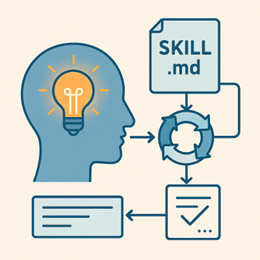
In this exercise, you will practice utilizing skills within Claude. Begin, by visiting the "Customize" section of https://claude.ai.
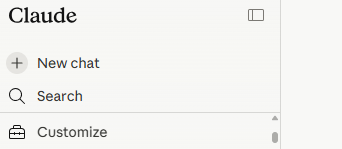
Click on "Skills", then the "+" and "Browse skills" to browse the skills available. Select the /slack-gif-creator skill and install it.

Next, use the skill in a new session to create an animation of your choice.
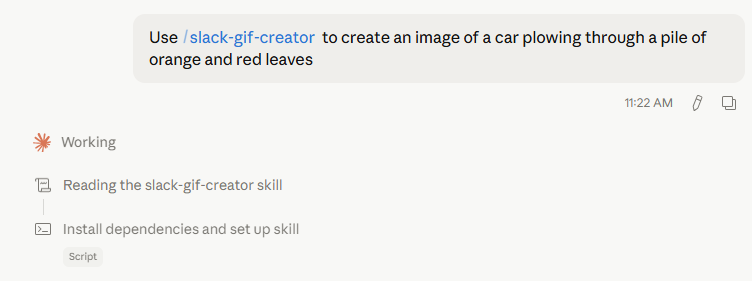
- Add a slide with the animated image that has been produced
Next, browse the rest of the skills available for you to add to your workspace. Install a new skill. Then, ask the model to use the skill to perform a task. An example of using the canvas-design skill is below.
Can you use the canvas design skill to create a figure of agent skills and their
use in Claude?
- Add a slide with the results of a skill you've added
Claude supports a "meta-skill" called /skill-creator, a skill that can create skills. In this exercise, we'll utilize the skill creator to create and use a skill of our own. Begin by adding the skill to your workspace.
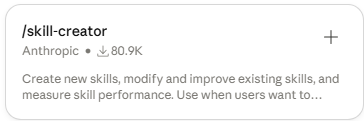
Then, utilize the skill to create a new skill. Some ideas might include:
- Generating a meme from an image
- A Python code explainer and control flow visualizer
- A funny "national day" social media post generator
Then, invoke the creator to create the skill.
Can you use the skill creator skill to create a skill that generates a meme from an
image?
Add the skill to your workspace, then invoke it.
- Add a slide with the results of the skill execution

Personal assistants such as OpenClaw and Muse are agents that you either self-host on your own computer or have a service host for you that provide you an always-on agent that has access to your personal data and on-line accounts. While they may have an advantage of convenience, agentic access to your entire computer and on-line accounts represents a significant security risk. In this exercise, you will utilize a hosted personal assistant to automate simple tasks. Towards this end, you'll leverage the assistant's built-in tools for accessing Google services as well as its ability to interact with a web browser on your behalf to perform authenticated operations on your behalf automatically.
To begin with, visit the Muse site at https://muse.ai . Create an account using your PSU e-mail address. Once created, log into the site and configure the agent and name it using your OdinID.
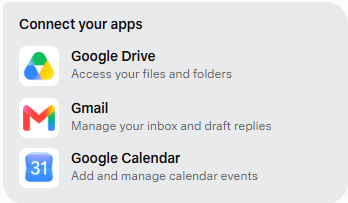
Muse comes built-in with connections to many different services you might find useful. Prompt the agent to enable connections to Google Drive, GMail, and Google Calendar.
Connect Google Drive. Google Calendar, and GMail
Click on each, sign in with your PSU account, and enable access to the services for Muse.
Ask the agent to send a message to yourself.
Can you e-mail me the slides for Week #1 of AI 112?Ask the agent to quiz you on the slides.
Give me a multiple choice quiz on the slides for Week #1- Add a screenshot with the e-mail that is received and the results of the quiz
Ask the agent to add a weekly calendar event.
Create a weekly calendar event for Sunday night for 11pm to remind me to turn in my homework for AI 112.- Add a screenshot of the calendar event on Google Calendar
Some services do not have an integration with Muse and can only be accessed by having Muse bring up a web browser and emulate human usage via "computer-use" APIs. One such service is Slack. Prompt the agent to connect up to the Slack workspace for the department.
Connect me to my Slack workspace at pdx-cs.slack.com using a browser
The agent will launch a web browser on your behalf. Click on the "Open preview" button to bring the browser window up.
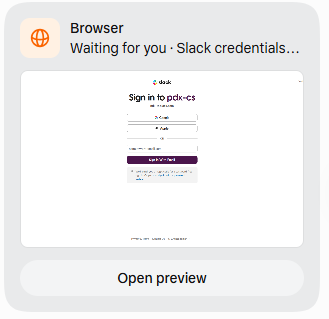
Then click on "Take control of the browser" and log in through the remote browser session. Click on open Slack in a web browser to bring up the site.

When the workspace comes up, click on "Done" to go back to the agent session.

Find the slides for the first lecture in AI 112 in my Google Drive, summarize them in 100 words, and send me a Slack message with the results
Watch as the agent interacts with the browser to send the message.
- Add a screenshot of the message on Slack
Finally, Muse works in the background to give you an "always-on" experience. One feature it supports is a scheduled task. Prompt Muse to send you an e-mail summary of all of your unread messages at a particular time in the near future.
Can you generate a summary of under 500 words of all of the unread e-mail messages
in my GMail account and send it as a direct message to me in Slack every day at
7pm.
- Add a screenshot of the message on Slack
Visit the "Ideas" section of Muse at https://muse.ai/ideas
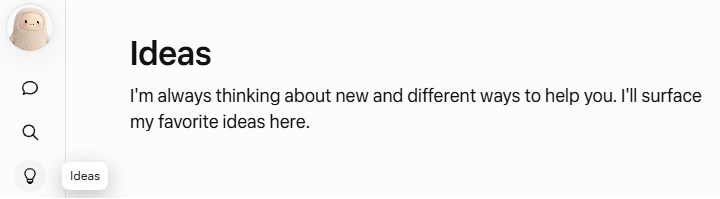
Browse the selection of different uses for the agent. Select one idea you find useful for yourself and test it out.
- Add a screenshot of the results of your chosen idea.
Answer the following question.
- What are drawbacks for doing this operation with a personal assistant rather than manually? What needs to be overcome before you delegate this task to an agent?
If having your Muse agent logged into all of your Google services and Slack account makes you nervous, you may simply logout and disconnect them from Muse after you are done with the lab exercise.
Logout of all services and disconnect them from the agent
Confirm disconnection when prompted for each service.